Using Private Git Repositories
OpenChoreo supports building components from private Git repositories using basic authentication or SSH authentication. Credentials are securely managed through external secret stores and are never stored in OpenChoreo's control plane.
Prerequisites
Before configuring private repository access, ensure you have:
- External Secret Store: A configured secret store (e.g., Vault, AWS Secrets Manager, OpenBao)
- ClusterSecretStore: A ClusterSecretStore resource in the workflow plane that connects to your secret store
- Git Credentials: One of the following:
- For Basic Auth: Personal access token (PAT) or username/password with repository read access
- For SSH Auth: SSH private key registered with your Git provider
Authentication Methods
| Method | Use Case |
|---|---|
| Basic Auth | HTTPS Git URLs (e.g., https://github.com/org/repo.git) |
| SSH Auth | SSH Git URLs (e.g., git@github.com:org/repo.git) |
From UI
The easiest way to configure private repository access is through the OpenChoreo UI. You can create secrets either during component creation or pre-create them for reuse.
The UI flows below require the secret management feature to be enabled in the control-plane Helm chart. It is disabled by default. Set features.secretManagement.enabled=true in the openchoreo-control-plane Helm values to turn it on. The k3d single-cluster install and the quick-start install enable it out of the box.
During Component Creation
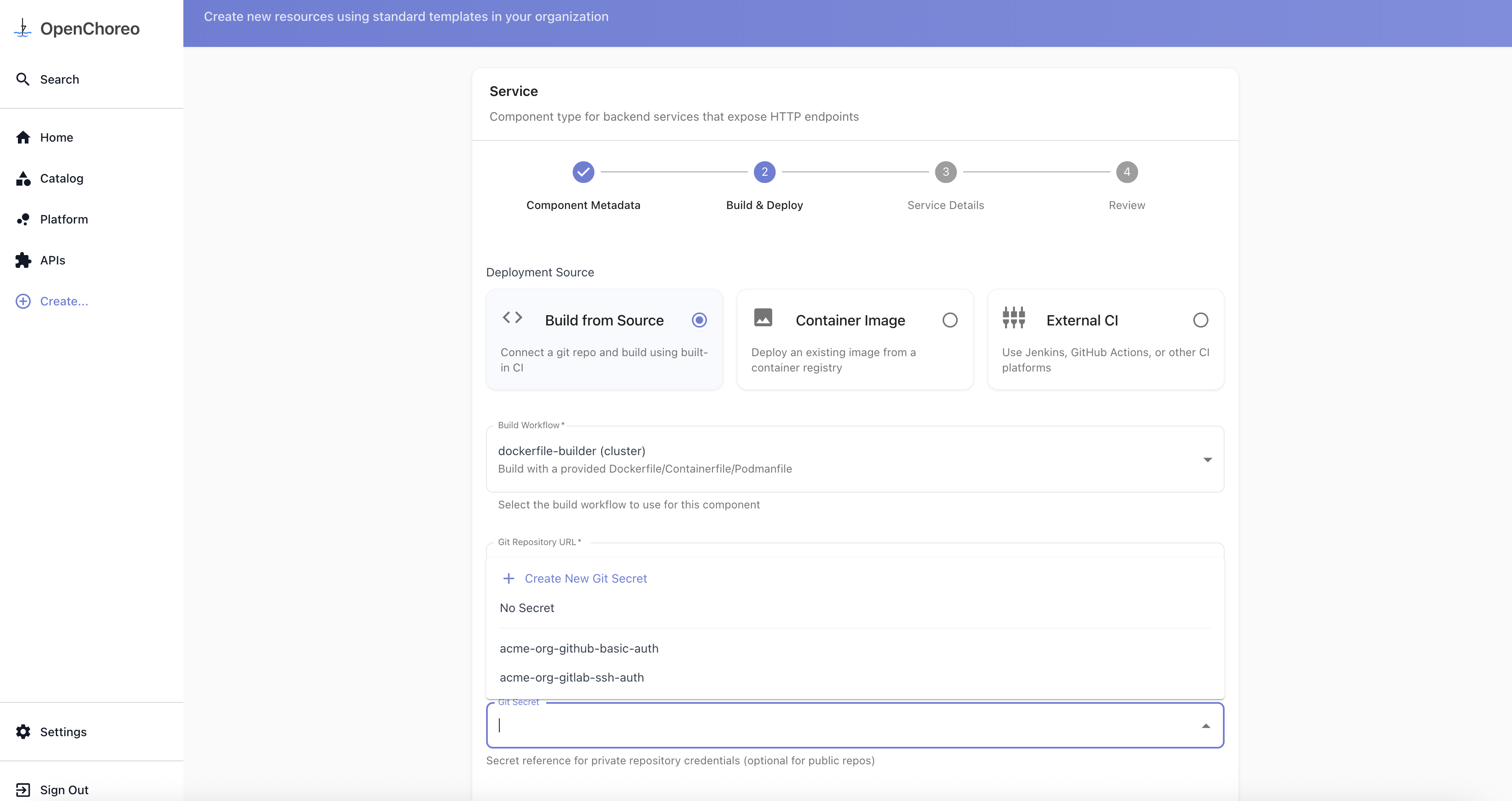
- When creating a component that uses a private repository, select Create New Git Secret from the secret reference dropdown:
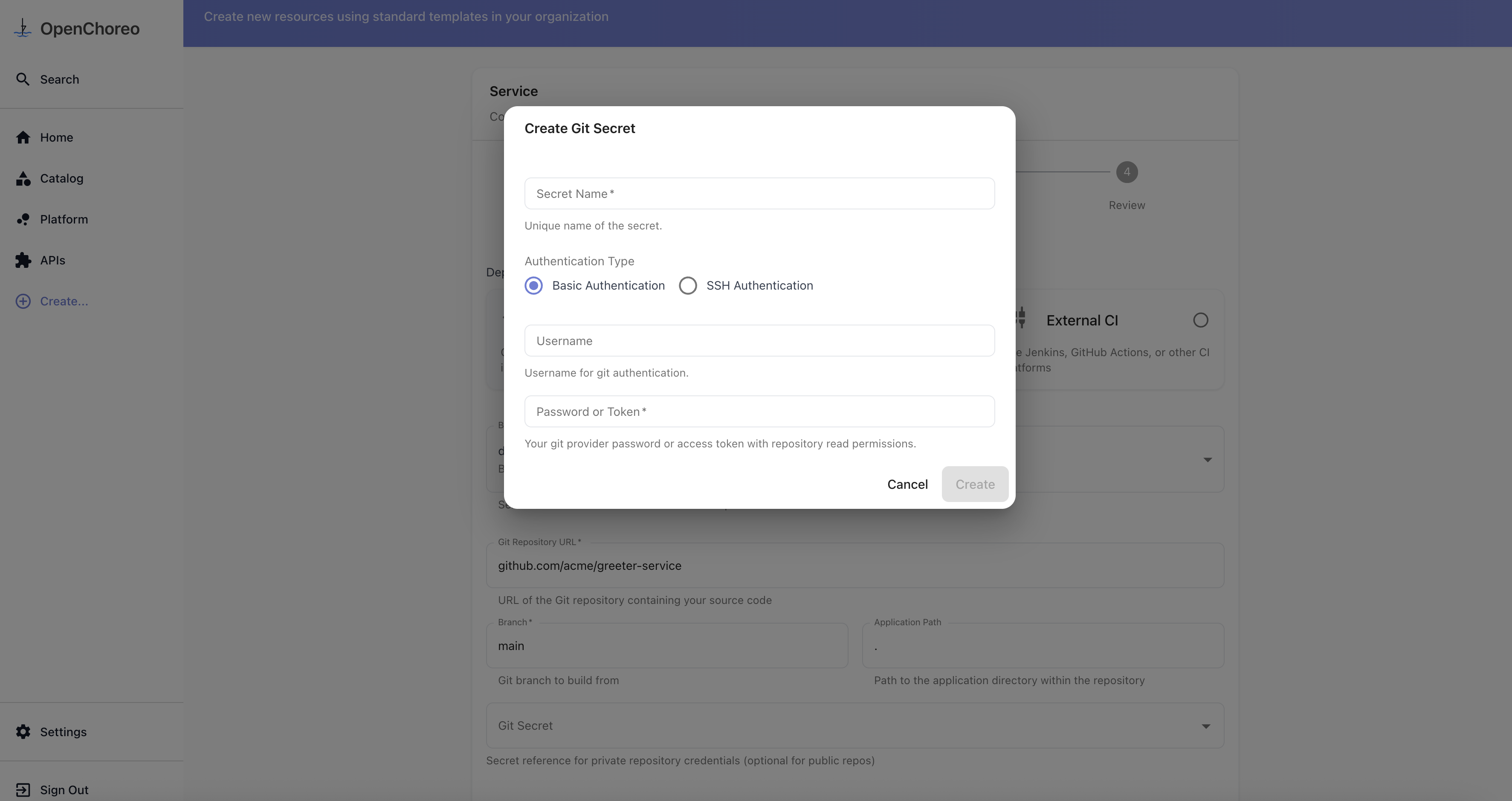
- Enter your Git credentials (username/token or SSH key) and click Create.
- The newly created secret will be automatically selected. Use it for component creation.
Secret Management Page
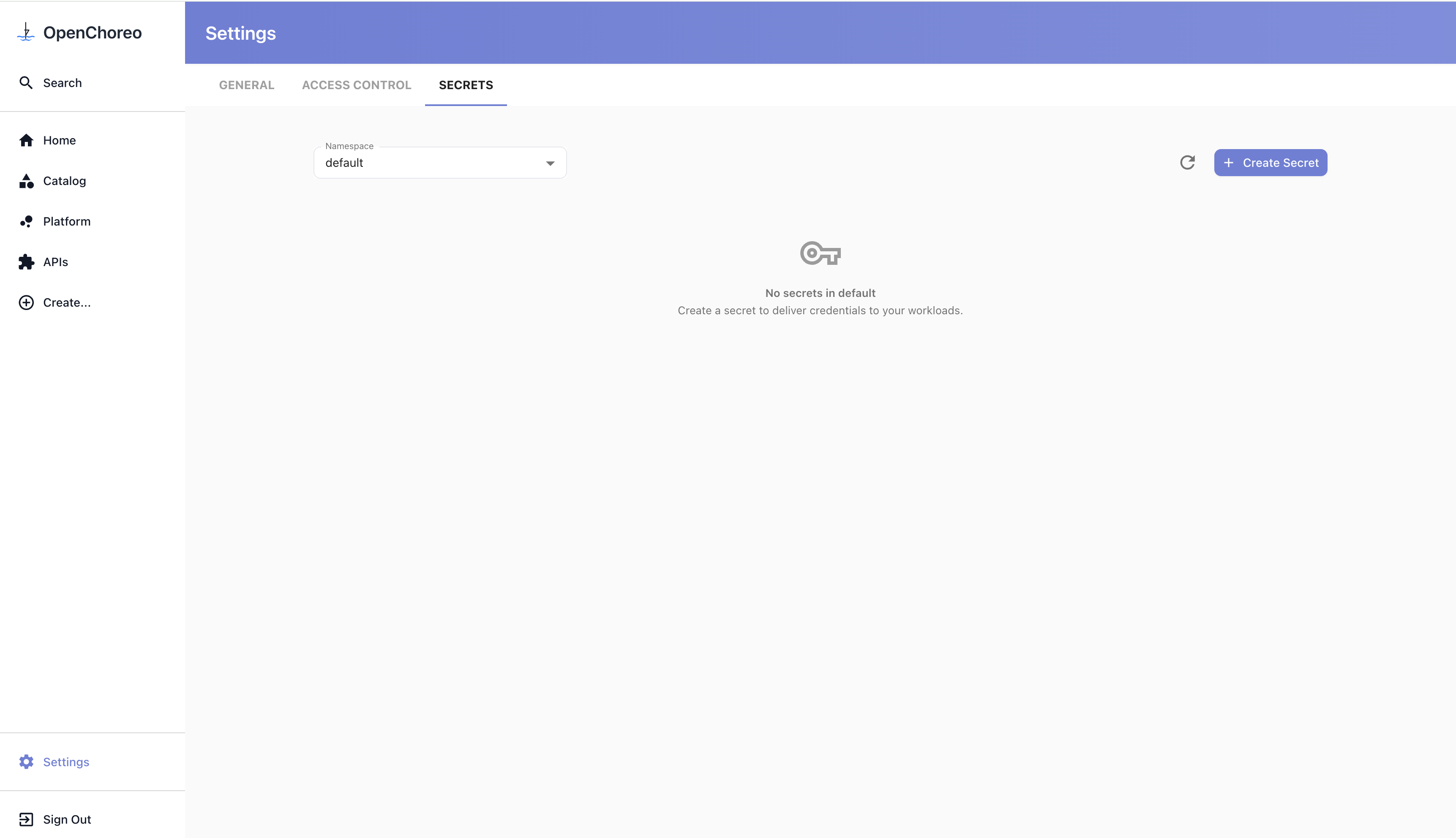
You can also pre-create secrets in the Secret Management page for reuse across multiple components.
- Navigate to the Secret Management page, click Create Secret, and select Git Credentials as the category:
- When creating a component, select the secret from the dropdown in the secret reference field.
From YAML
For manual configuration, create a SecretReference custom resource that points to credentials in your external secret store.
apiVersion: openchoreo.dev/v1alpha1
kind: SecretReference
metadata:
  name: github-credentials
  namespace: default
spec:
  targetPlane:
    kind: ClusterWorkflowPlane
    name: default
  template:
    type: kubernetes.io/basic-auth
  data:
    - secretKey: username
      remoteRef:
        key: secret/git/github-token
        property: username
    - secretKey: password
      remoteRef:
        key: secret/git/github-token
        property: token
  refreshInterval: 1h
Reference the secret in your component's workflow configuration:
apiVersion: openchoreo.dev/v1alpha1
kind: Component
metadata:
  name: my-service
spec:
  owner:
    projectName: my-project
  componentType:
    kind: ClusterComponentType
    name: deployment/service
  workflow:
    kind: ClusterWorkflow
    name: dockerfile-builder
    parameters:
      repository:
        url: https://github.com/myorg/private-repo.git
        secretRef: github-credentials
        revision:
          branch: main
        appPath: /
      docker:
        context: .
        filePath: ./Dockerfile
How It Works
When a workflow run is triggered:
- Control Plane: The OpenChoreo API server stores a
SecretReferenceand pushes the sourceKubernetes Secrettogether with aPushSecretto the target plane'sopenchoreo-kv-<ns>namespace. - Workflow Plane (push path):
PushSecretreads the source Kubernetes Secret and pushes its contents to the external secret store through theClusterSecretStore. - Workflow Plane (pull path): When the
WorkflowRunis reconciled, the controller creates anExternalSecretin theworkflows-<ns>namespace. TheExternalSecretpulls the secret from the external store via the sameClusterSecretStoreand materializes a Kubernetes Secret for the build. - Workflow Execution: Argo Workflow uses the materialized secret for Git authentication.
- Cleanup: The
ExternalSecretand its materialized Kubernetes Secret are automatically removed when theWorkflowRunis deleted. The push-side resources inopenchoreo-kv-<ns>are owned by theSecretReferenceand removed when it is deleted.
Additional Resources
- Creating Workflows — Creating custom workflows with secret support