Using Private Git Repositories
OpenChoreo supports building components from private Git repositories using basic authentication or SSH authentication. Credentials are securely managed through external secret stores and are never stored in OpenChoreo's control plane.
Prerequisites
Before configuring private repository access, ensure you have:
- External Secret Store: A configured secret store (e.g., Vault, AWS Secrets Manager, OpenBao)
- ClusterSecretStore: A ClusterSecretStore resource in the build plane that connects to your secret store
- Git Credentials: One of the following:
- For Basic Auth: Personal access token (PAT) or username/password with repository read access
- For SSH Auth: SSH private key registered with your Git provider
Authentication Methods
| Method | Use Case |
|---|---|
| Basic Auth | HTTPS Git URLs (e.g., https://github.com/org/repo.git) |
| SSH Auth | SSH Git URLs (e.g., git@github.com:org/repo.git) |
From UI
The easiest way to configure private repository access is through the OpenChoreo UI. You can create secrets either during component creation or pre-create them for reuse.
During Component Creation
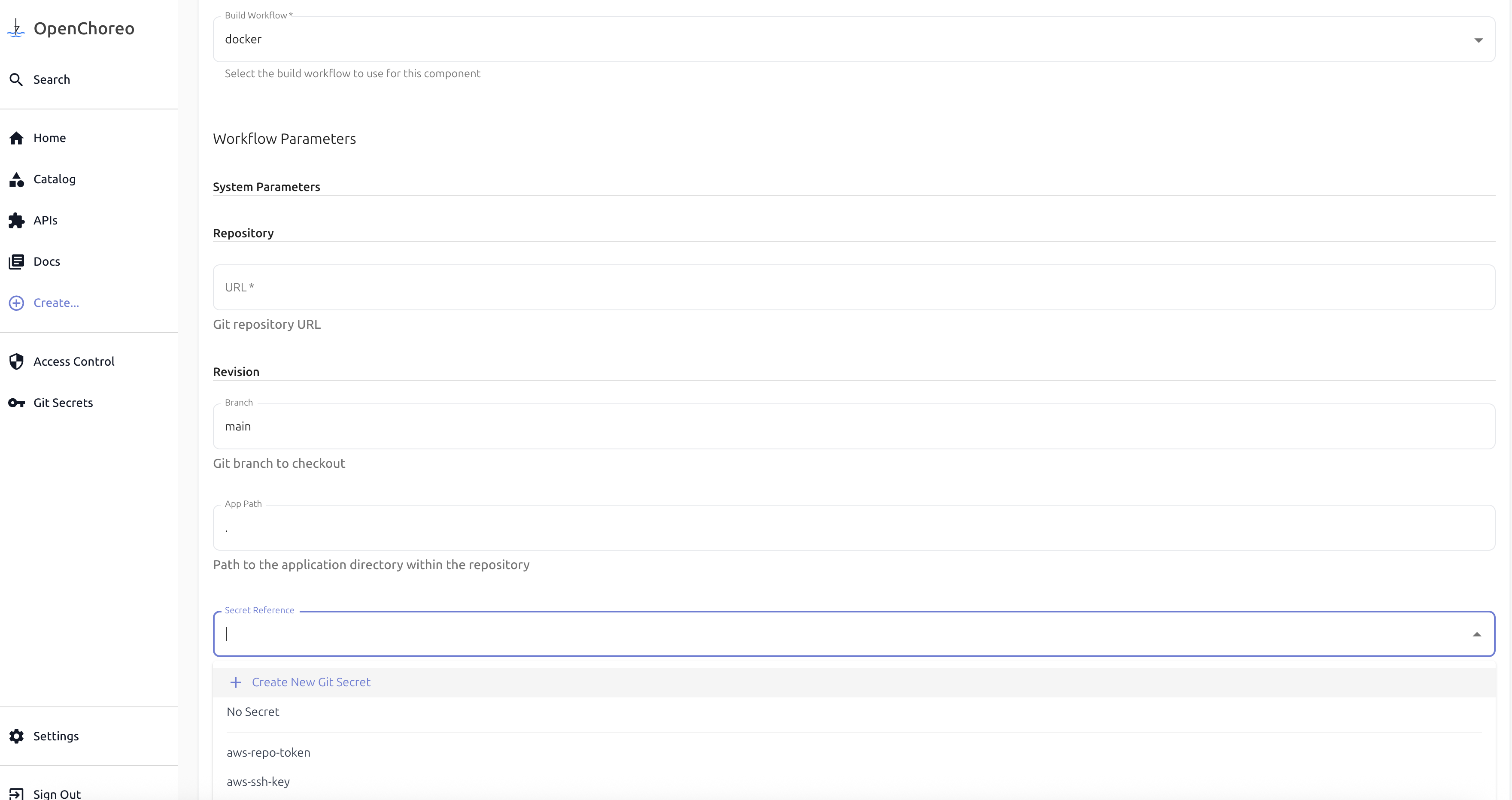
- When creating a component that uses a private repository, select Create New Git Secret from the secret reference dropdown:
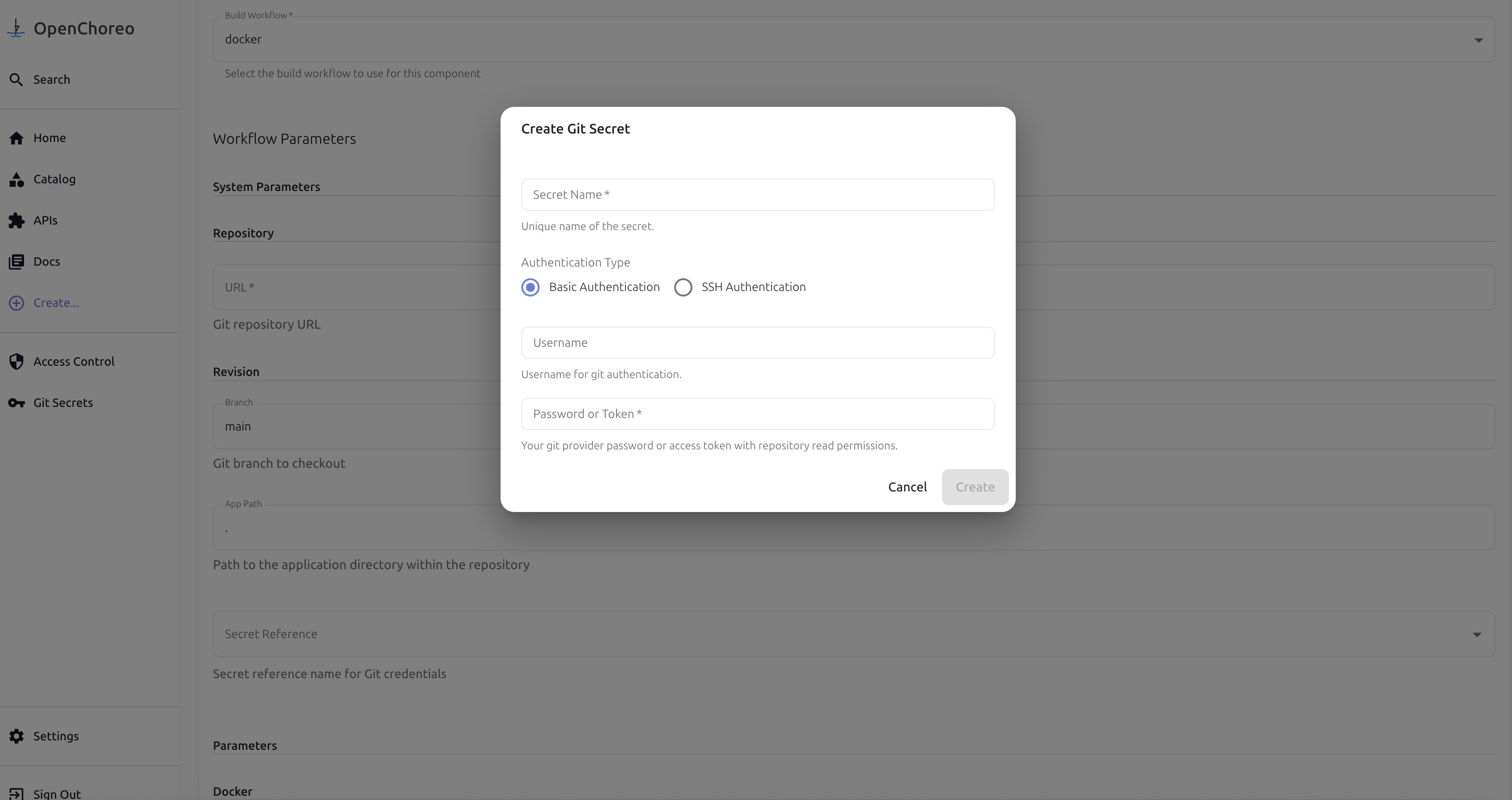
- Enter your Git credentials (username/token or SSH key) and click Create.
- The newly created secret will be automatically selected. Use it for component creation.
Secret Management Page
You can also pre-create secrets in the Secret Management page for reuse across multiple components.
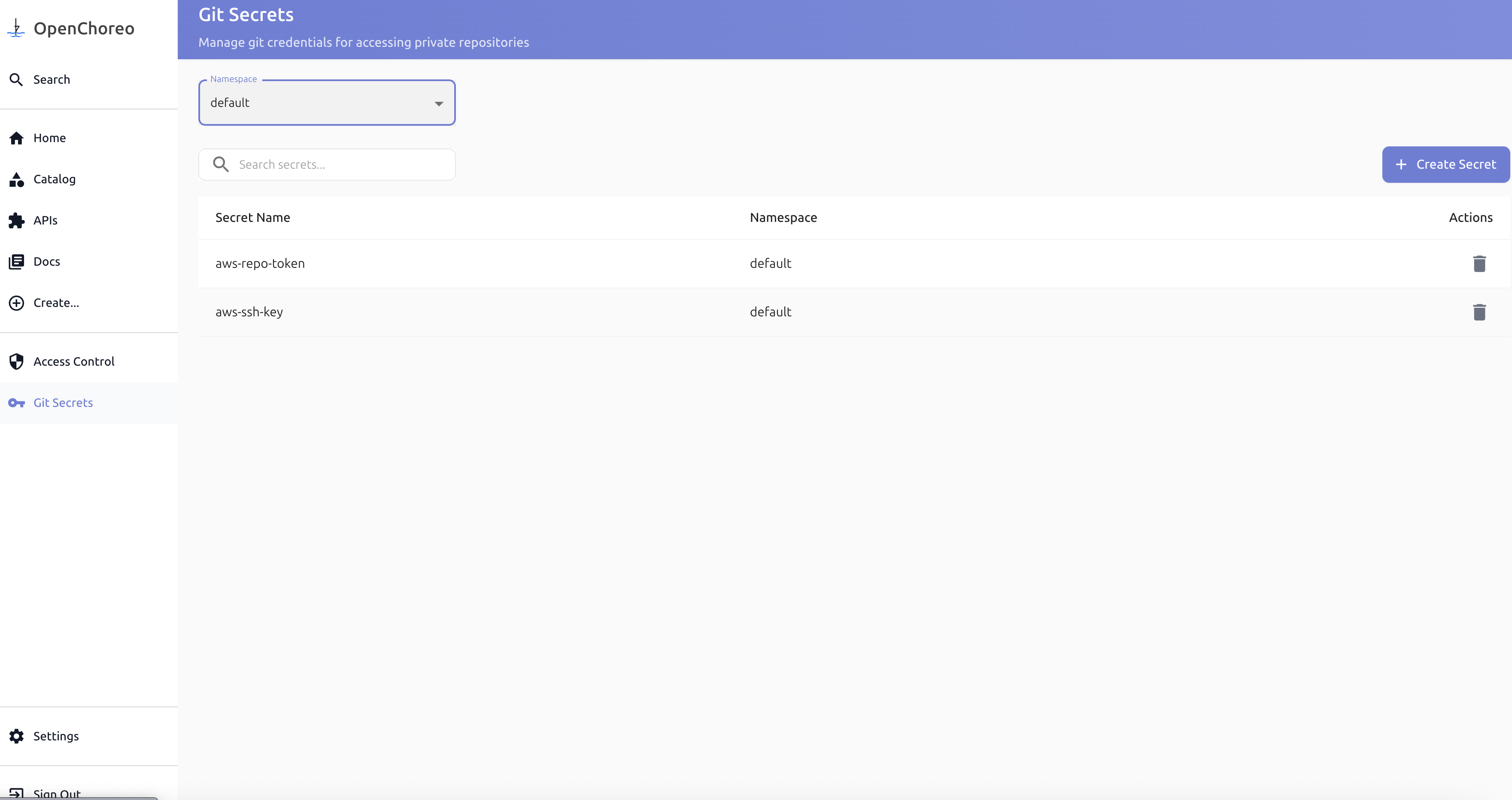
- Navigate to the Secret Management page and create a new Git secret:
- When creating a component, select the secret from the dropdown in the secret reference field.
From YAML
For manual configuration, you can create a SecretReference custom resource. The SecretReference keeps the kv secret path.
Create a SecretReference for username/token authentication:
apiVersion: openchoreo.dev/v1alpha1
kind: SecretReference
metadata:
  name: github-credentials
  namespace: default  # Namespace where the secret will be created
spec:
  template:
    type: kubernetes.io/basic-auth  # Secret type for username/password
  data:
    - secretKey: username  # Key in the resulting Kubernetes secret
      remoteRef:
        key: secret/git/github-token  # Path in your external secret store
        property: username  # Property name within the secret
    - secretKey: password
      remoteRef:
        key: secret/git/github-token
        property: token
  refreshInterval: 1h  # How often to sync from the external store
Reference the secret in your component's workflow configuration:
apiVersion: openchoreo.dev/v1alpha1
kind: Component
metadata:
  name: my-service
spec:
  owner:
    projectName: my-project
  componentType: deployment/service
  workflow:
    name: docker
    systemParameters:
      repository:
        url: https://github.com/myorg/private-repo.git  # HTTPS URL
        secretRef: github-credentials  # Basic auth SecretReference
        revision:
          branch: main
        appPath: /
    parameters:
      docker:
        context: .
        filePath: ./Dockerfile
How It Works
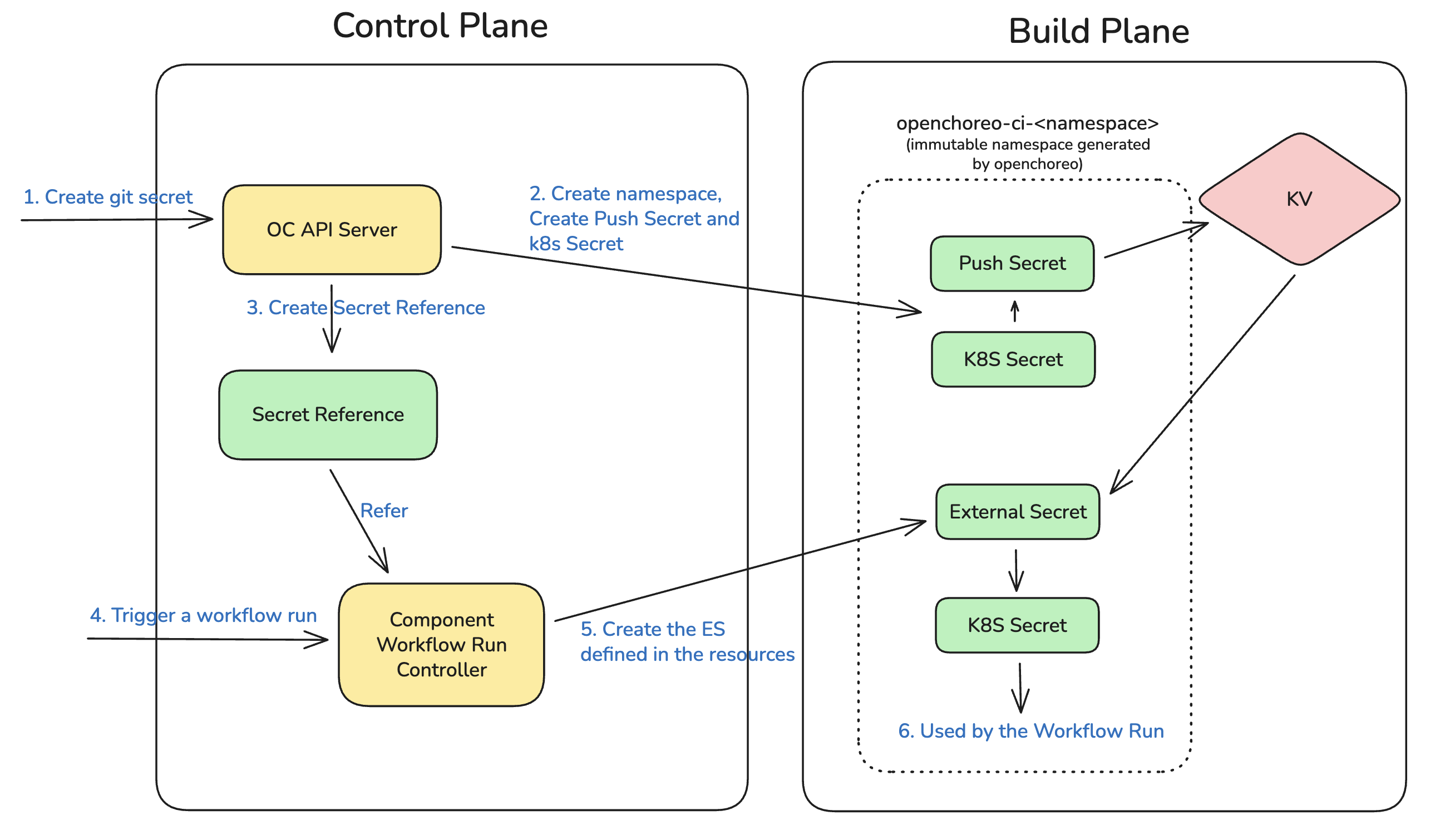
When a workflow run is triggered:
- Control Plane: ComponentWorkflowRun references the SecretReference
- Build Plane: ExternalSecret is created, syncing credentials from your secret store via ClusterSecretStore
- Workflow Execution: Argo Workflow uses the synced secret for Git authentication
- Cleanup: Secrets are automatically removed when the workflow is deleted
Additional Resources
- Component Workflow Schema - Understanding workflow parameters
- Custom Workflows - Creating custom ComponentWorkflows with secret support